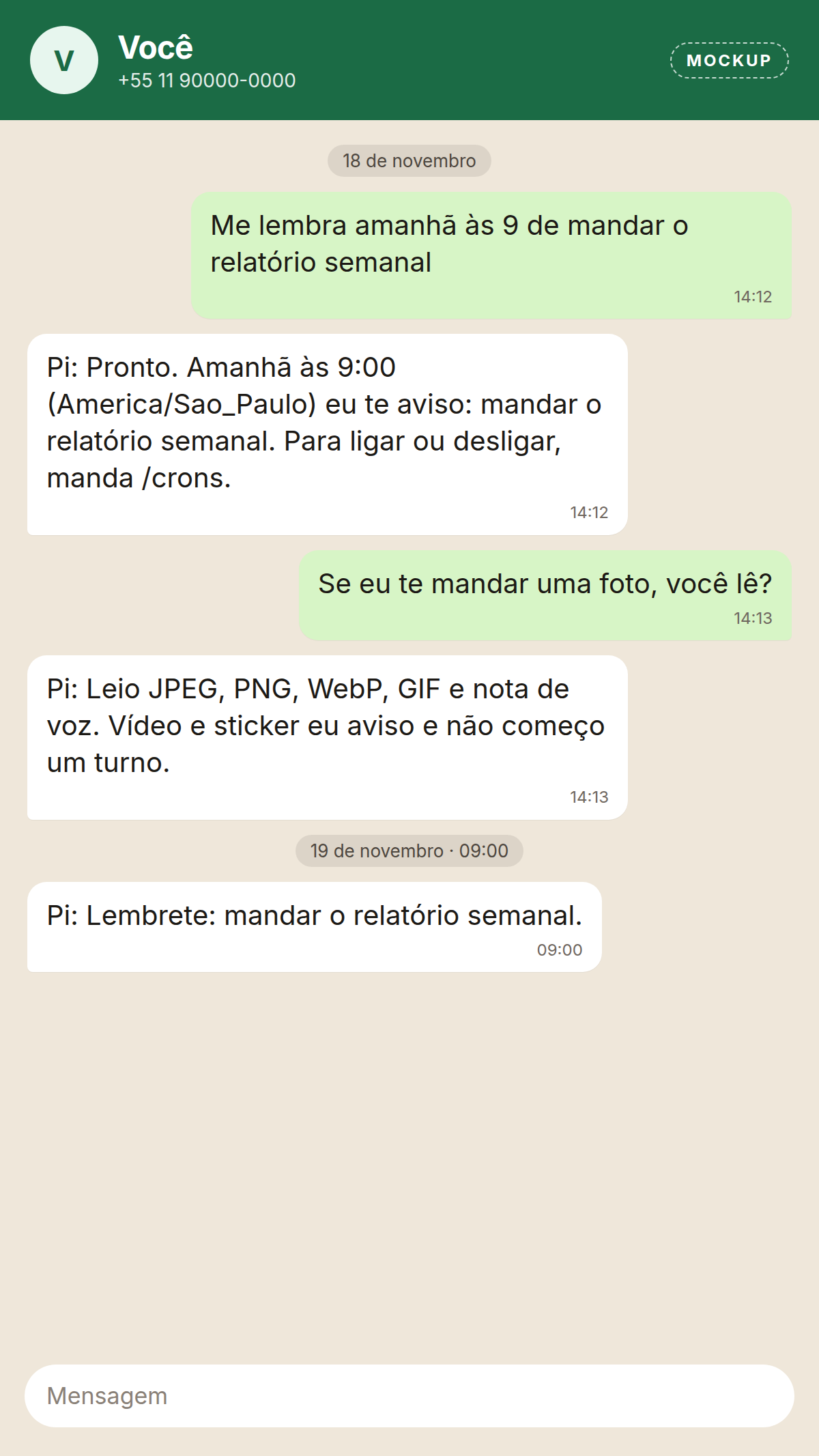
-
Replies are plain text. Headings and bold become WhatsApp
*bold*. - Approvals are a numbered list. Reply with the number.
-
In the linked account's own chat, replies start with
Pi:.

# Nothing in .env is required to boot.
git clone https://github.com/forge-z/pi-bot.git
cd pi-bot
cp .env.example .env
docker compose up -d --build
# Gateway, models, and MCP. The service name is pi-bot.
docker compose exec pi-bot npm run setup
Values in .env are optional overrides. If the gateway
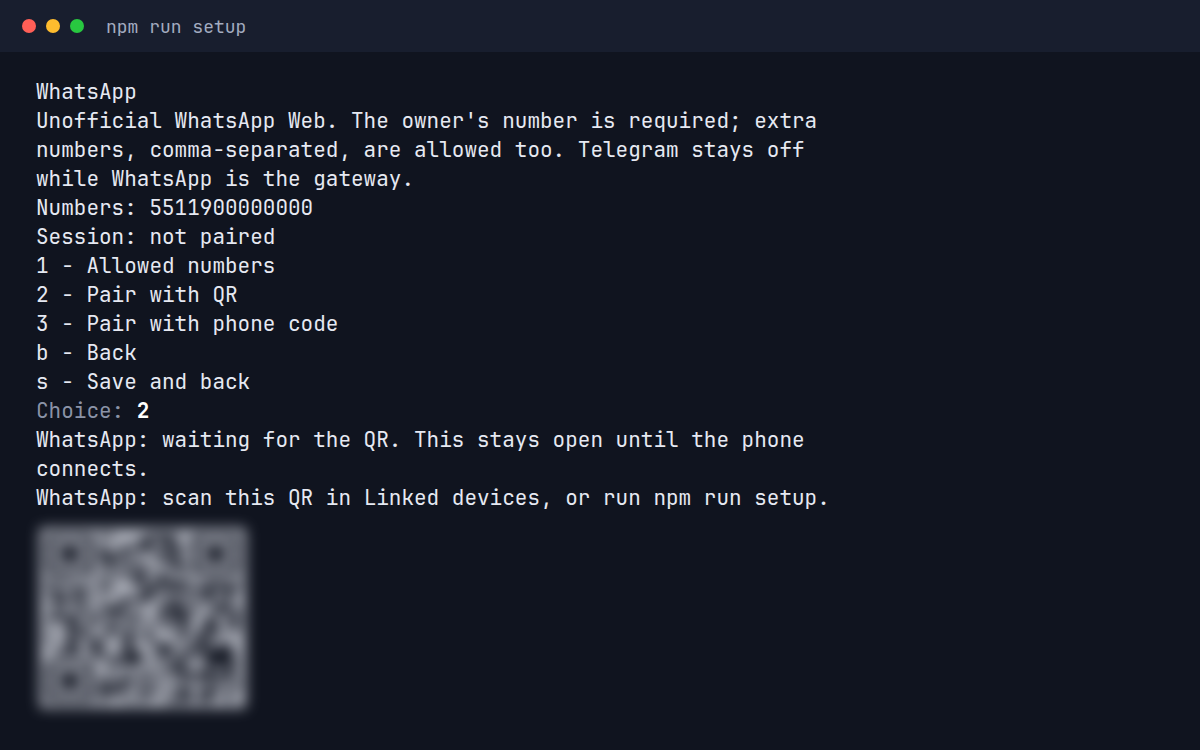
is already running when you pair WhatsApp, read the QR from
docker compose logs.
A message arrives on Telegram or WhatsApp. One gateway per install.
Only the allow list gets an answer. Everyone else is ignored.
Your text model runs the turn. An image model can read photos and an audio model can transcribe voice notes. Replies are text.
Anything outside the chat goes through MCP tools you connect. A call that needs approval waits for you.
Settings, credentials, and conversations are SQLite files on the
volume at /app/data. The image is read-only. The
assistant has no shell, filesystem, or browser of its own.
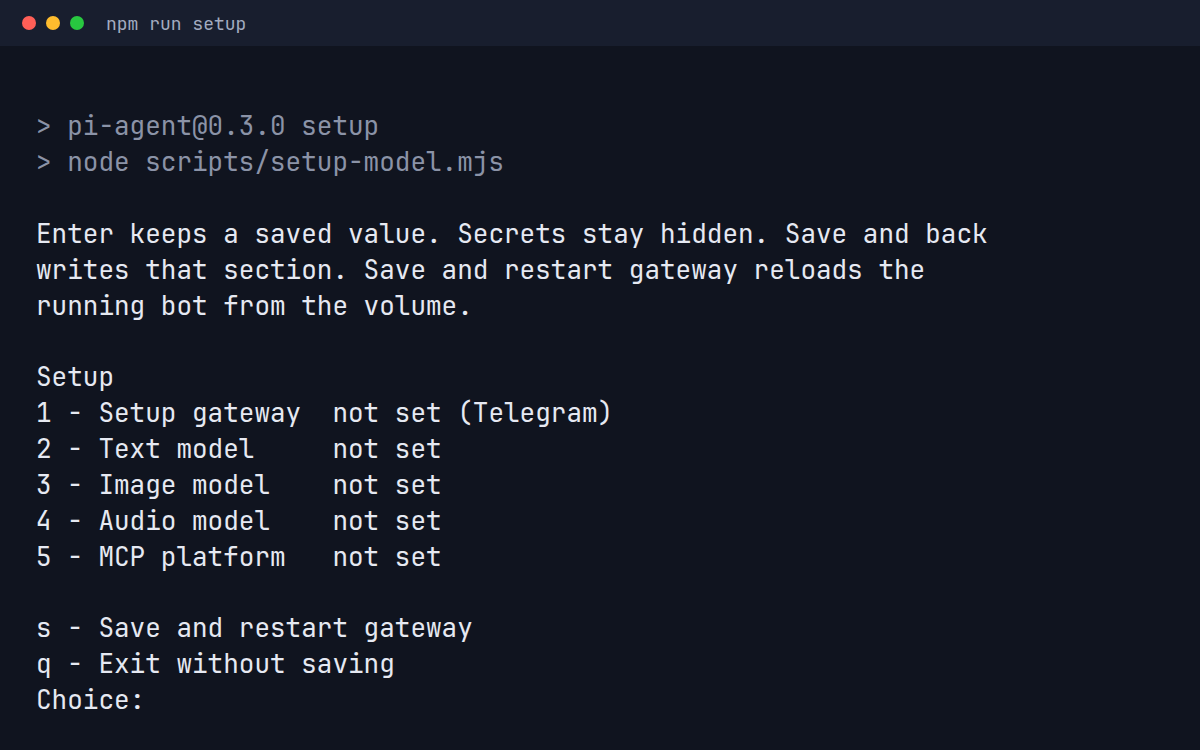
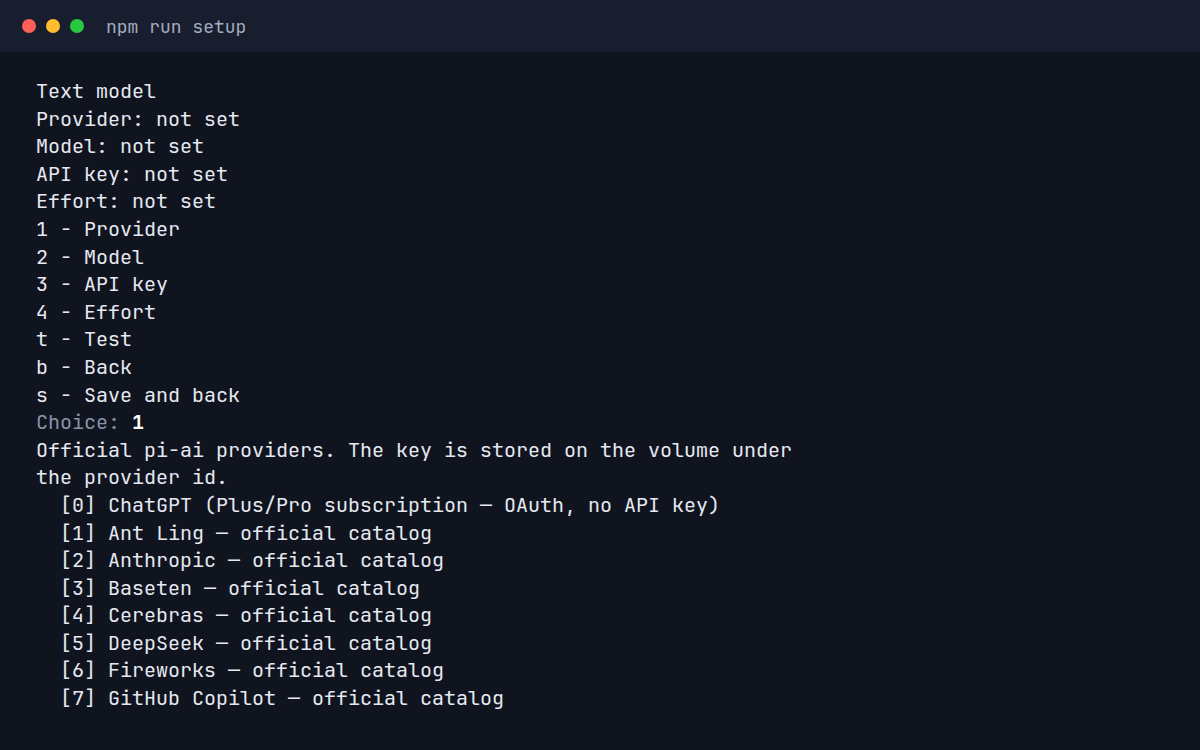
npm run setup edits one section at a time. Enter keeps
a saved value. Secrets stay hidden.
Save and back writes the section.
With the container up, run npm run setup. A fresh
container stays healthy while it waits. The menu lists the
gateway, text model, image model, audio model, and MCP
platform.
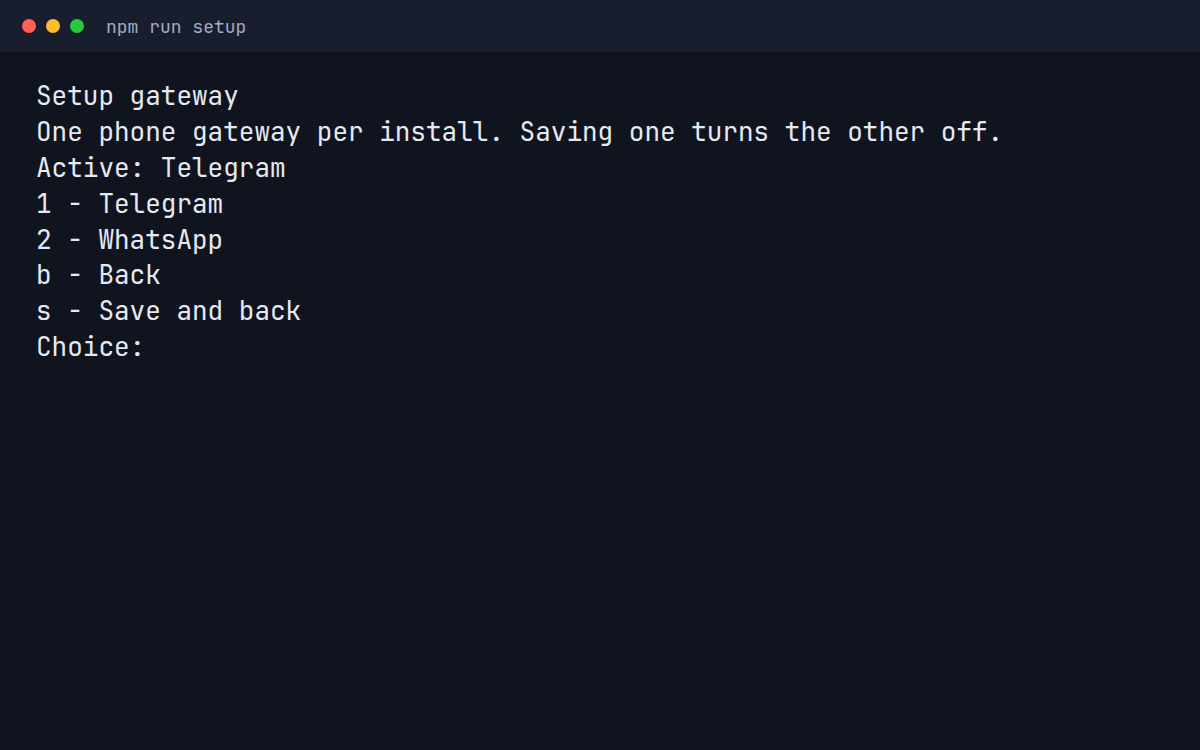
Telegram or WhatsApp. Saving one turns the other off. An install that never chooses stays on Telegram.
Telegram asks for the bot token and the numeric user ids allowed to talk to it.
The owner's number, with country code. Extra numbers are optional. Then pair with a QR under Linked devices, or with a phone code. The session stays on the volume.
Text is any official pi-ai provider with an API key, or ChatGPT Plus/Pro sign-in with none. Image and audio models are optional.
MCP platform: Composio, Executor, Upsy, a self-hosted gateway,
Executor plus Composio, or none.
Save and restart gateway reloads the running
bot from the volume. No image rebuild.
/status shows the model, MCPs, and version.
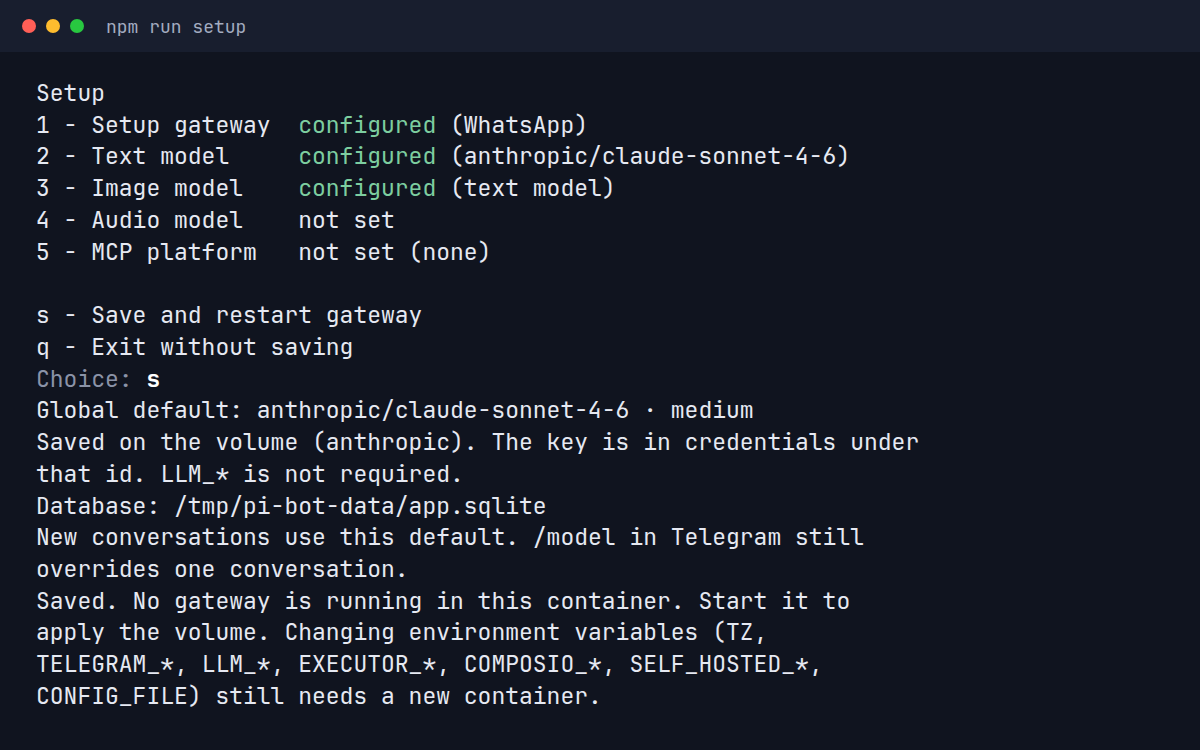
Both images are mockups. Names and numbers in them are fictitious.
*bold*.
Pi: .
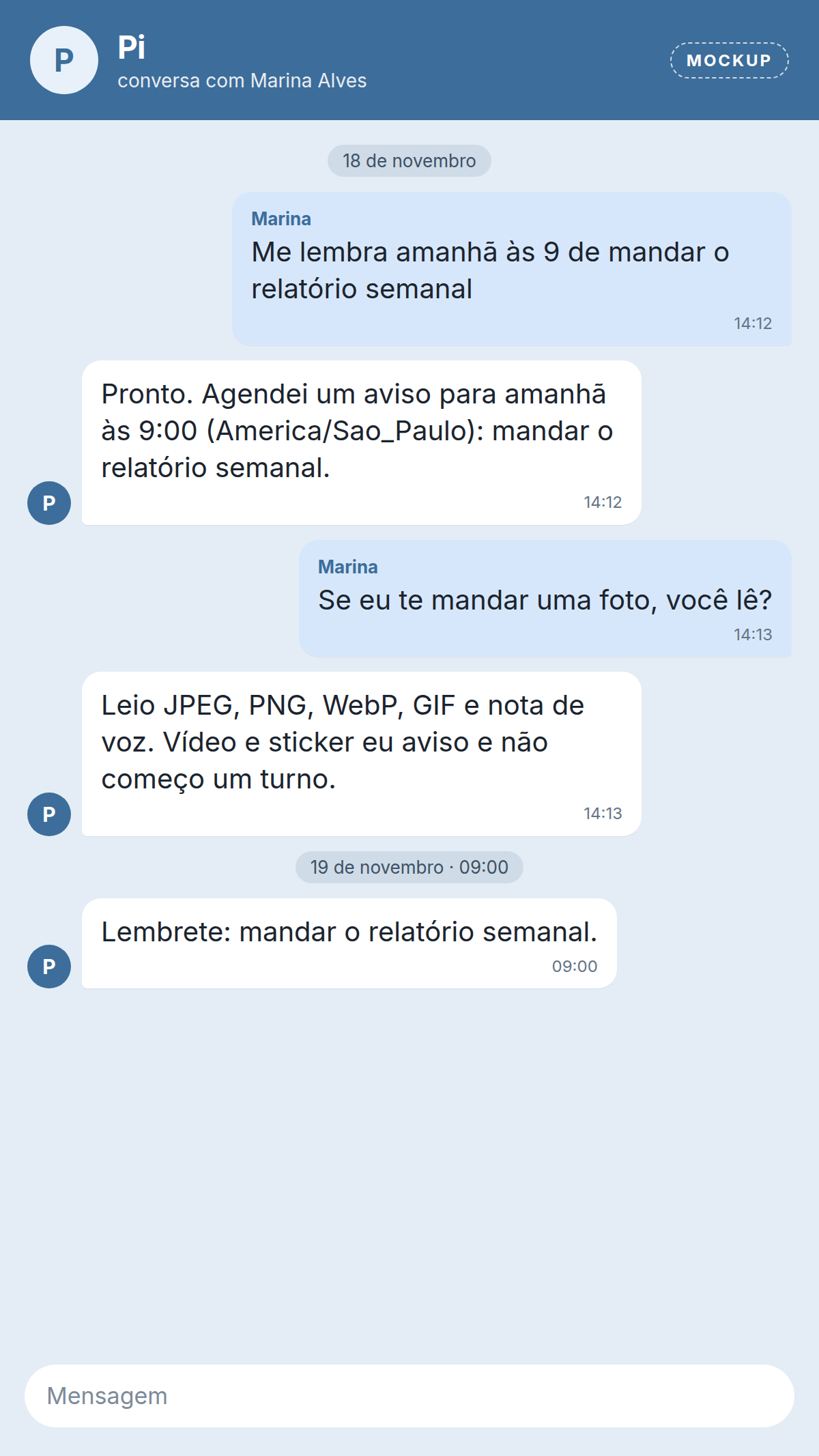
/model and /thinking.
/crons manages them.
/resume continues
or dismisses it.
/new starts fresh and keeps the old one on the
volume. /compact condenses a long thread. On
Telegram, each forum topic is separate.
SKILL.md folders on the volume, named in
config.yaml. The model can read them on every
reply, including scheduled runs.
sandbox_code_task runs a long coding job on an
Instabox machine. Off until you configure it. The repository
allow list starts empty. Pushes and pull requests wait for
approval.
On Telegram these appear in the bot menu. On WhatsApp, type them. Names stay in English.
| Command | What it does |
|---|---|
/status |
Model, tokens and cost, MCPs, and version |
/model |
Choose the provider and model |
/thinking |
Choose the reasoning effort |
/crons |
List schedules. On WhatsApp, reply with a number to turn one on or off |
/new |
Start a new conversation. The old one stays on the volume |
/compact |
Condense this conversation. Text after the command is optional focus |
/resume |
Resume a stuck task, or dismiss an uncertain result |
/stop |
Stop the current work |
/help |
Show this list |
No. Each install has one gateway. Saving WhatsApp turns Telegram off, and the other way around. An install that never chooses stays on Telegram.
No. The gateway uses Baileys, which speaks the unofficial WhatsApp Web protocol and can lead to account restrictions.
Not for ChatGPT Plus/Pro sign-in. Every other official pi-ai provider asks for its key in setup.
On the Docker volume pi_bot_data, mounted at
/app/data: settings, credentials, conversations,
and the WhatsApp session. The image is read-only.
No. It transcribes voice notes when an audio model is set, and it always replies in text. A tool can produce an audio file. A voice bubble is not implemented.
Pi Bot is in beta: usable day to day, but configuration and commands can still change. Back up the volume before upgrading.